A Simpler Ducky Capital: Personal Wallet Trading and Daily AI Reviews
Ducky Capital is becoming much simpler: fund one Personal Wallet, move USDC to Hyperliquid without holding ETH for gas, trade manually, and review the result with AI in the same product.
Personal Wallet is now the default
New accounts no longer create or require an Operating Wallet, background trading agent, delegate signer, or automated wallet policy. Manual market and limit orders are signed directly by the user from the Personal Wallet account.
Existing Operating Wallets are preserved. If you used the previous flow, Migrate legacy funds guides you through withdrawing Hyperliquid collateral to the Operating Wallet and then transferring Arbitrum USDC into Personal Wallet. Nothing is moved without your Turnkey approval.
Fund and trade with fewer steps
The setup flow now focuses on what is required:
- Accept the OpenPond and Hyperliquid terms.
- Send native Arbitrum USDC to the displayed Personal Wallet address.
- Send that USDC to Hyperliquid.
Ducky sponsors the Arbitrum gas for the supported Hyperliquid deposit path. You do not need to buy ETH merely to begin trading. Depositing the wrong network or asset is still not supported, so always select native USDC on Arbitrum.
A faster, steadier trading screen
We also improved the Trade UI for busy markets and longer sessions. Live order-book and trade updates now do less unnecessary rendering, unchanged order-book rows are reused, and TradingView price updates are grouped before they reach the chart. The result is a more responsive order ticket and chart while market data is moving quickly.
Memory use is better behaved too. Ducky slows background updates when the tab is hidden and releases inactive chart resources instead of keeping them around. Return to the tab and the live feed reconnects cleanly, without making the rest of the trading screen carry work it does not need.
AI is organized around Tasks and Workflows
The AI page now puts reusable Workflows first, turning a one-off prompt into a repeatable habit. A Task is the durable place where you ask a question, inspect work logs, read the Markdown report, and continue the conversation. A Workflow is the schedule that creates a run and attaches the result to Task history.
The first bundled Workflow is Daily Hyperliquid Trader. Schedule it once and wake up to a concise review of the previous 24 hours of fills each morning. You can update the local time, run it immediately, or open any recent result from the workflow table.
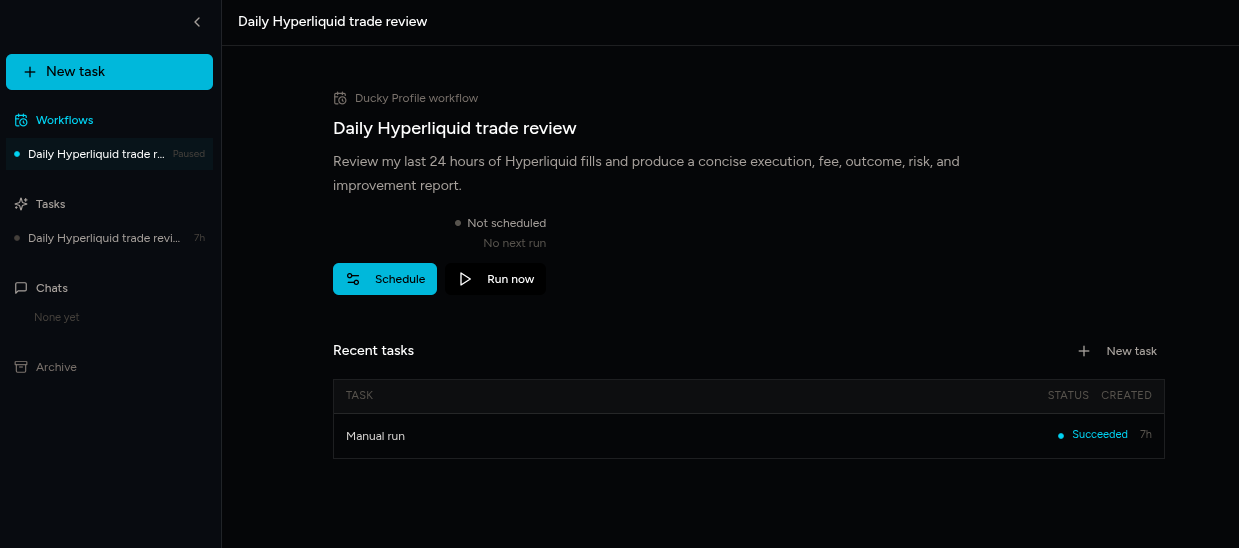
Every run becomes a Task you can return to. Its execution steps, review window, findings, and guidance stay together, so you can see not only the conclusion but how the review got there.
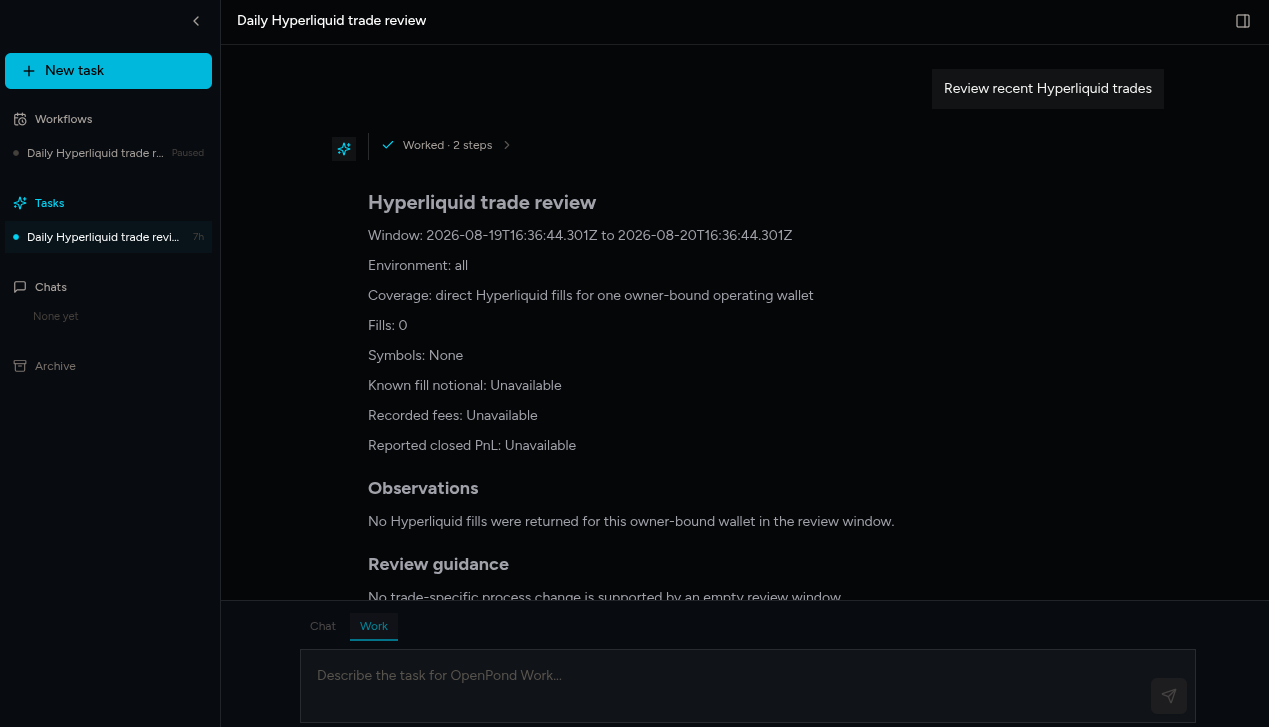
Trade-side Review trade and Generate trade idea use the same published, read-only Ducky Profile actions. They can inspect trading facts and make recommendations, but they cannot place an order.
Who can use AI
AI unlocks after $10,000 of lifetime Hyperliquid volume traded through Ducky. Once eligible, each account receives 10 AI runs per day. The access dialog always shows current eligible volume or the next reset time instead of failing inline.
This keeps the AI benefit tied to active customers while we measure real inference cost and adjust the allowance from production data.
Focused by design
Each trade review is deliberately narrow. The open-source Agent receives one-run, read-only access to the recent fills needed for the report. It never receives a private key, cannot place an order, and does not receive general access to Ducky account data.
For the complete reusable architecture, read How to Build a Continuous Learning Loop with OpenPond.